Debugging TLS certificates with Certigo
OpenSSL only goes so far, learn about Certigo, to which goes a lot further.


Not too long ago, when it came to debugging TLS issues on certificates, my go to solution was to use something like openssl.
For example to dump out the certificates of a remote host
$ echo | openssl s_client -showcerts -servername www.example.com -connect www.example.com:443 2>/dev/null | openssl x509 -inform pem -noout -textIf you want to find the expiration date of this certificate, you can chain more commands together to achieve the desired result:
$ echo | openssl s_client -showcerts -servername www.example.com -connect www.example.com:443 2>/dev/null | openssl x509 -inform pem -noout -text | grep 'Not After' | sed -e 's/^.*:\ //g'
Jul 13 07:58:43 2020 GMT
As you can see, this is starting to get messy, fragile and not really suitable for wider scripting.
Enter Certigo
Certigo is an open source tool that can examine and validate certificates to help with debugging SSL/TLS issues. The source repo is on Github.
You can install using Go:
go install github.com/square/certigo@latestOn MacOSX you can alternatively use homebrew:
brew install certigoHow to use certigo
Basic usage:
certigo connect www.example.comcertigo to show the TLS certificates in use on www.example.comYou can also test websites that do not have the DNS cutover correctly yet, using the power of SNI:
certigo connect 1.2.3.4 --name www.example.comcertigo to show the TLS certificates when using the SNI of www.example.comMore advanced usage, by chaining the JSON output into jq:
$ certigo connect www.example.com --json | jq -r '.certificates[] | ("Common Name: " + .subject.common_name + ", Expires: " + .not_after)'

Common Name: www.example.com, Expires: 2020-07-13T07:58:43Z
Common Name: Let's Encrypt Authority X3, Expires: 2021-03-17T16:40:46ZjqHere is an image to show you the actual colours and formatting in all their glory (the above does not do it justice):
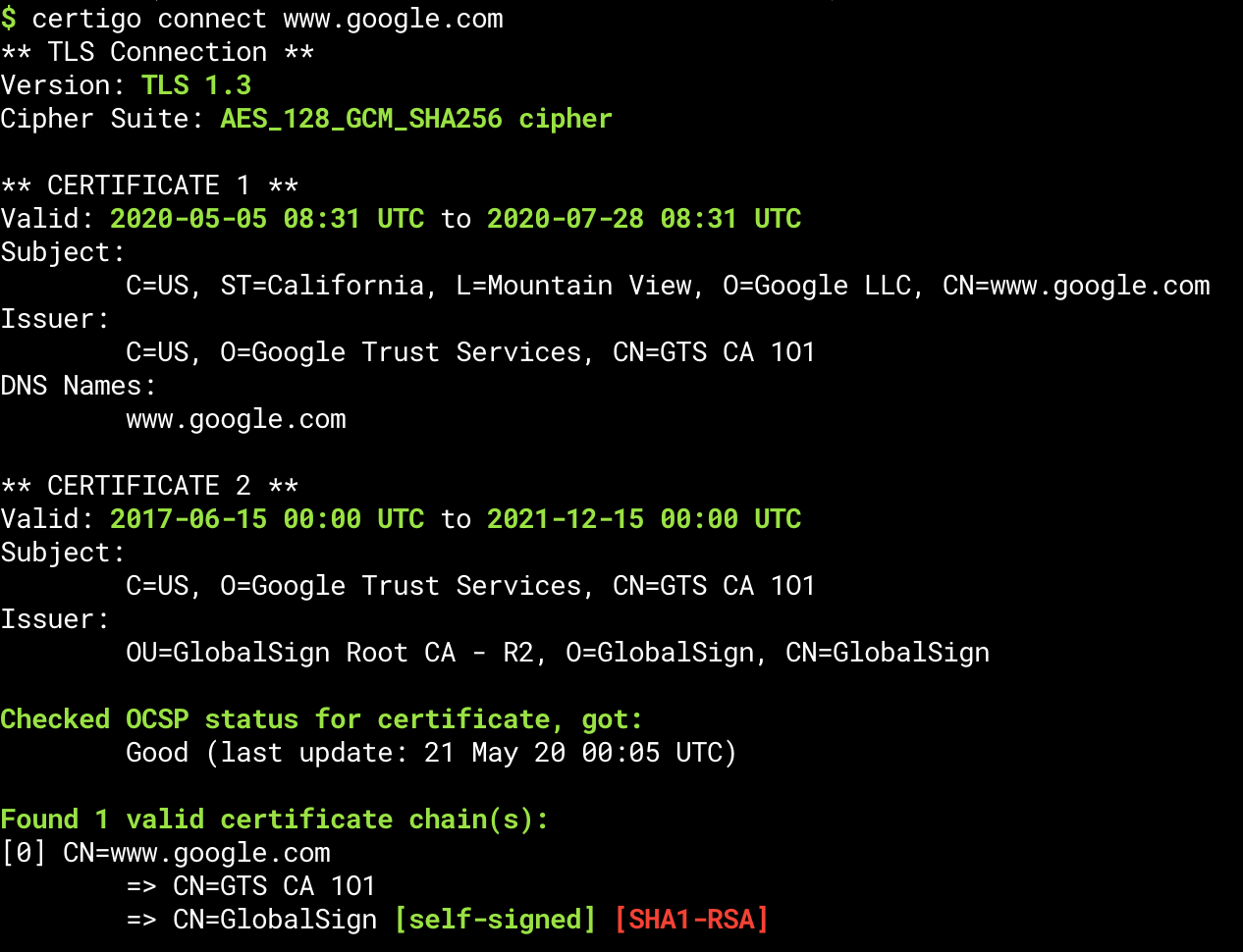
certigo connecting to www.google.comFinal thoughts
Thanks to Scott for introducing this tool to the team.
Let me know in the comments what you typically use to do this work, keen to understand other approaches.